








Creating a productive home office environment is essential for anyone working remotely or running a business from home. With the right setup, you can improve your focus, reduce distractions, and make work feel more enjoyable. Whether you have a small corner or a dedicated room, these tips will help you create a workspace that supports your goals.
Choose the Right Location
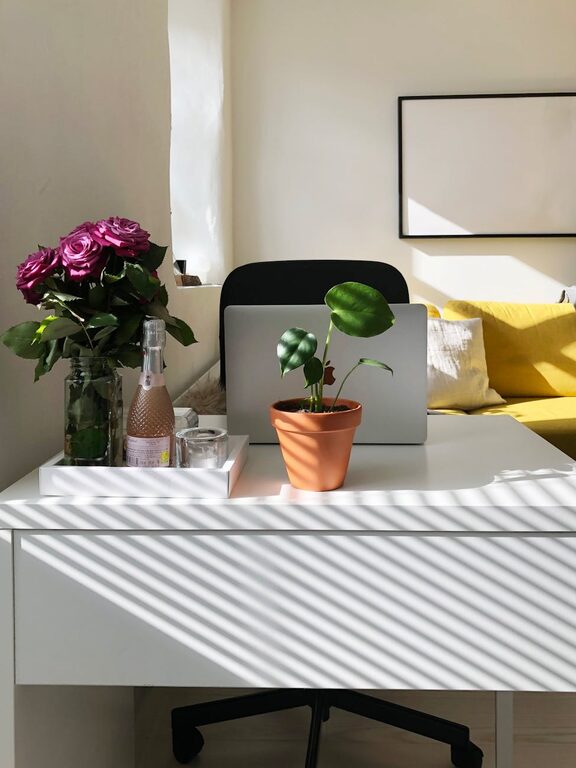
Your office space plays a big role in your productivity. Ideally, pick a quiet area away from heavy foot traffic and noise. If possible, find a spot with natural light since it can improve mood and energy levels. Avoid working from the couch or bed, as these spaces are linked to relaxation rather than focus.
Consider Your Needs
– Space: Make sure there’s enough room for your desk, chair, and any equipment you need.
– Lighting: Natural light is best, but good artificial lighting is essential too.
– Noise: Use noise-canceling headphones or soundproofing options if you’re in a noisy area.
Invest in Comfortable and Ergonomic Furniture
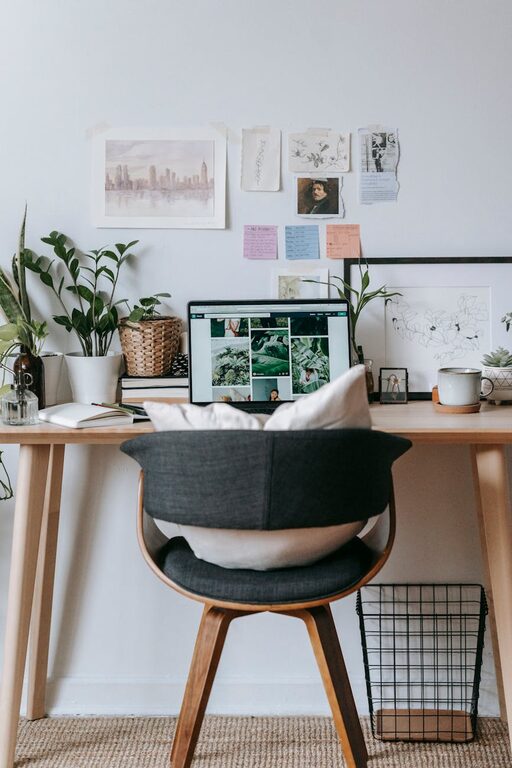
Comfort matters when you spend long hours working. Choose an ergonomic chair that supports your posture and a desk at the right height to avoid strain.
Key Furniture Choices
– Ergonomic Chair: Look for adjustable height, lumbar support, and cushioning.
– Desk: A desk with enough surface space for your computer, notepads, and other tools.
– Standing Options: Consider a sit-stand desk to switch positions throughout the day and reduce fatigue.
Organize Your Workspace
A cluttered desk can cause stress and reduce efficiency. Keep your workspace tidy with smart storage solutions and organizational tools.
Organizing Tips
– Use Drawers and Shelves: Store supplies and papers out of sight but within reach.
– Desk Accessories: Use pen holders, cable organizers, and cable clips to keep things neat.
– Daily Clean-Up: Spend a few minutes each day clearing your desk to maintain order.
Optimize Lighting
Good lighting reduces eye strain and keeps you alert. Position your desk near a window if possible, but avoid glare on your computer screen.
Lighting Guidelines
– Use a combination of natural light and adjustable task lighting.
– Avoid harsh overhead lights and flickering bulbs.
– Consider warm light bulbs for a more comfortable atmosphere.
Minimize Distractions
Distractions can interrupt your flow and reduce productivity. Take steps to minimize interruptions.
Strategies to Limit Distractions
– Use noise-canceling headphones or background music to block out noise.
– Set clear boundaries with family or roommates about work hours.
– Turn off non-essential notifications on your phone or computer.
Personalize Your Space
Adding personal touches can make your office more inviting and motivating.
Ideas for Personalization
– Hang artwork or photos you enjoy.
– Use plants to add freshness and improve air quality.
– Choose colors and décor that make you feel calm and inspired.
Develop a Routine and Set Boundaries
Creating structure is key when working from home. Set clear start and end times for your workday, and take regular breaks.
Tips for Staying on Track
– Use a daily schedule or planner to organize tasks.
– Take short breaks every hour to stretch and rest your eyes.
– Avoid working in your personal areas outside of work hours.
Use Technology to Your Advantage
Technology can enhance your home office experience if used wisely.
Helpful Tech Tools
– Noise-canceling headphones to block background noise.
– Apps to organize tasks and manage time, like calendars or to-do lists.
– A reliable internet connection to avoid disruptions.
Maintain Good Air Quality and Temperature
Comfort isn’t just about furniture. Proper air circulation and temperature can improve concentration and well-being.
Tips for Comfort
– Open windows when possible for fresh air.
– Use a fan or heater to keep your workspace at a comfortable temperature.
– Consider an air purifier if you’re sensitive to indoor air quality.
Conclusion
A productive home office environment combines comfort, organization, and focus. By thoughtfully arranging your space, minimizing distractions, and setting clear routines, you’ll create a home workspace that supports your best work every day. Remember, simplicity and consistency often make the biggest difference. Start with small changes and adjust your workspace as needed to find what works best for you.