







Creating a productive home workspace is essential for anyone working remotely or spending significant time on personal projects. A well-designed environment can improve your focus, reduce distractions, and help you maintain a healthy work-life balance. Whether you have a dedicated room or just a small corner, there are simple steps you can take to transform your area into an efficient workspace.
Choose the Right Location
Consider Natural Light
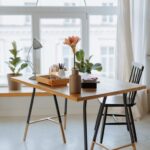
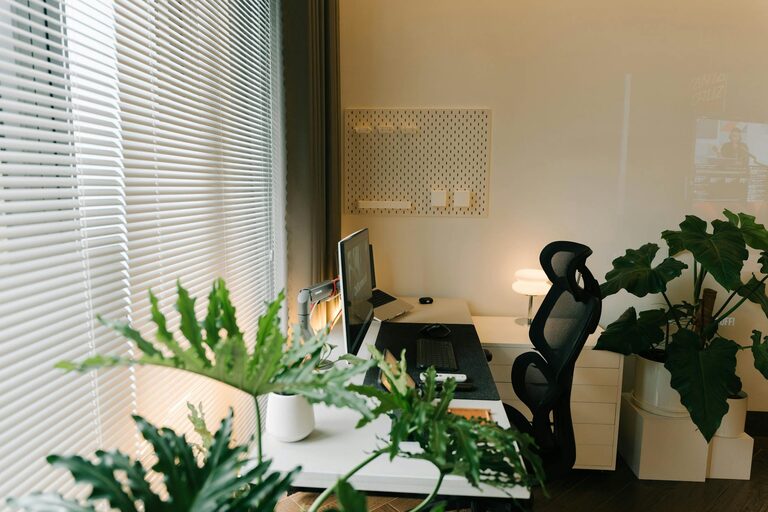
One of the most important factors in a productive workspace is lighting. Natural light helps reduce eye strain and boosts your mood. Try to set up your workspace near a window if possible. If natural light is limited, invest in a good quality desk lamp with adjustable brightness.
Minimize Distractions
Select a quiet spot in your home where interruptions are minimal. If you have family members or roommates, communicate your work hours so they can respect your focus time. Using noise-canceling headphones or playing soft background music can also help block out distractions.
Invest in Ergonomic Furniture
Comfortable Chair and Desk
Spending long hours at your desk can cause back and neck pain if your furniture isn’t supportive. Use an adjustable chair that promotes good posture and a desk at the right height to keep your arms and wrists comfortable. Standing desks or convertible options offer flexibility to switch between sitting and standing throughout the day.
Organize Your Tools Within Reach
Keep your frequently used items like your computer, mouse, notepad, and pens close to avoid unnecessary stretching or movement. This helps maintain your workflow and reduces fatigue.
Keep Your Workspace Organized
Declutter Regularly
A cluttered desk often leads to a cluttered mind. Remove unnecessary papers, gadgets, and items that don’t contribute to your work. Use trays, shelves, or drawer organizers to keep essentials tidy and accessible.
Use Storage Solutions
Incorporate storage boxes, filing systems, or wall-mounted organizers to manage documents and supplies. Labeling containers can save time when searching for items.
Personalize Without Overdoing It
Add Inspiring Elements
Including a few personal touches like plants, artwork, or motivational quotes can make your workspace more inviting and boost creativity. Plants, in particular, have been shown to improve air quality and enhance mood.
Avoid Overcrowding
While personalization is great, too many decorations can become distracting. Aim for a balanced look that feels welcoming but keeps your focus.
Establish a Routine
Set Clear Work Hours
Even if you work from home, having set start and finish times helps you stay disciplined and prevents burnout. Break your tasks into manageable time blocks and schedule regular breaks.
Create a “Start Work” Ritual
Develop a routine to signal the beginning of your workday, such as making a cup of coffee, organizing your desk, or reviewing your to-do list. This helps your brain shift into work mode.
Optimize Technology Setup
Reliable Internet Connection
Ensure you have a fast and stable internet connection to avoid interruptions during meetings or while working online. Consider a wired connection if Wi-Fi is spotty.
Use Multiple Screens if Possible
A second monitor can increase productivity by allowing you to view multiple documents or applications simultaneously. If that’s not an option, organize your windows efficiently to reduce switching back and forth.
Maintain Good Health Habits
Take Regular Breaks
Incorporate short breaks every hour to stretch, move, and rest your eyes. This improves circulation and helps you return to tasks refreshed.
Stay Hydrated and Snack Wisely
Keep a water bottle nearby and choose healthy snacks to maintain energy levels throughout the day.
Final Thoughts
Designing a productive home workspace involves more than just picking a desk and chair. Thoughtful setup, organization, and habits all contribute to creating an environment where you can focus and work efficiently. By implementing these tips, you’ll create a space that supports your goals and enhances your overall well-being while working from home.